From a different Tanya Reilly talk this time, this is also my new headcanon:
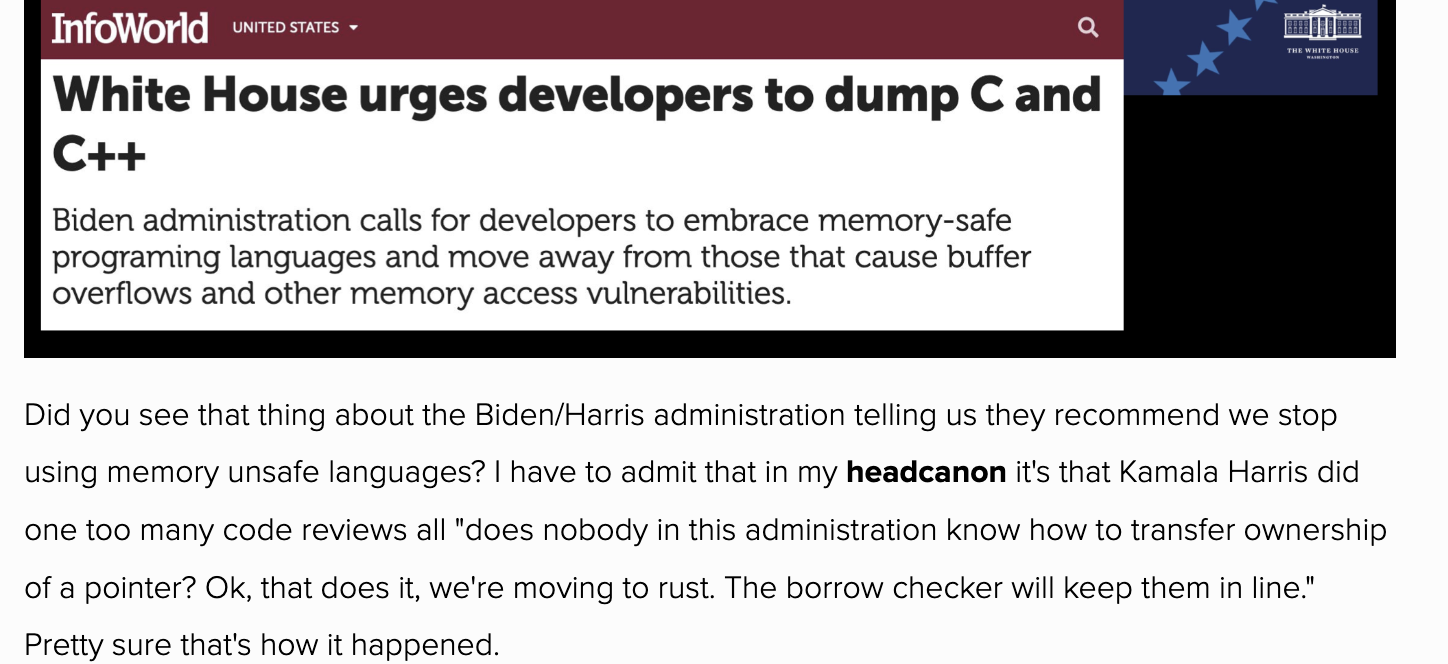
Fear will keep the lesser systems in line… fear of this borrow checker.
From a different Tanya Reilly talk this time, this is also my new headcanon:
Fear will keep the lesser systems in line… fear of this borrow checker.
Thanks to Laura Nolan who suggested this video from Usenix 2017: Tanya Reilly with good life advice https://www.usenix.org/conference/srecon17americas/program/presentation/reilly
So, Drobo went out of business, so I’m in the market for a new NAS.
In the meantime, I stumbled across a config change that made the Time Machine partition functional as a backup target. (I created a Time Machine partition when I first got the the Drobo, but it has never worked properly until now.)
TLDR: ssh into your Drobo and add these lines to the /etc/samba/smb.conf global section; then restart smbd.
durable handles = yes
kernel oplocks = no
kernel share modes = no
posix locking = no
(If you have no way of logging into your Drobo, because the shutdown of Drobo.com bricked admin mode and you didn’t have the good fortune/foresight to enable sshd first, then you might be hosed.)
Long version https://bugzilla.samba.org/show_bug.cgi?id=12380#c22 , because the updated version of SMBd will never be shipped for Drobo, you can’t use the syntactic sugar described towards the end of the post.
Reverse psychology doesn’t work on me.
I have decided to try a practice called a “digital declutter.”
For the rest of this month, I intend to limit my use of online/electronic/digital technology as much as possible. This includes texting, email, listening to podcasts, TV, etc.
Likely not going to have a lot of posts between now and end of June, but I hope to get a bunch of writing done that I will start posting in July.
We shall see.
[ ref: Digital Minimalism by Cal Newport ]
Ten years ago, I hacked out a limited parser in Python for YAML, which I named monkeyYaml. I even blogged about it.
It turns out that this code is still in use. Not only as a backup, but as the *only* parser for front matter in the test262 repository.
Initially, I used import yaml to parse the YAML front matter. When this change broke on some of Google’s vast Chromium test farm, on machines with Python 2 where yaml was not available, I wrote monkeyYaml as a backup parser.
Shortly after that, though, user jugglinmike (or, as I prefer to think of him, MegaMan) pointed out that using two different parsers was risky. A new test author might use a YAML feature not supported by monkeyYaml, and if they tested on a modern installation of Python 2 or Python 3, it would appear to work… only breaking when it eventually reached the Chromium test farm.
So, to ensure that we stay within the YAML subset supported by monkeyYaml, MegaMan made this change to ensure that monkeyYaml would be the only parser, not the fallback parser.
I really like my idea of what philosophy is supposed to be. Unfortunately this doesn’t seem to align with what philosophy is to other people. Notably, I took two philosophy courses in undergrad and earned a D in the first and a D+ in the second.
But now I’m taking a sabbatical, and I am going to use my sabbatical to read, write, think, and discuss philosophy, and maybe figure out what feels discordant between my idea of philosophy vs. the general meaning.
To kick this off, I decided to read Philosophy: A Very Short Introduction, to get an overview of the topic.
But my friend recently reminded me of the existence of Gell-Mann Amnesia, so before I read that book, I first read Chemistry: A Very Short Introduction. That book, by Peter Atkins, turned out to be very good — I highly recommend it, if anyone wants a very short introduction to one of my favourite things.
So now, I am partway through the Philosophy book, and enjoying it quite a bit; enough to expand what I think my idea of philosophy is, and how it separates from modern academic philosophy.
Hello again! It’s been almost ten years since I last posted here.
Back in 2014 I was working on a chemistry app for pre-medical students; my idea was to make it easier to understand and remember enough organic chemistry to do well in the required classes and on the MCAT exam.
I realized that it would be too much work for one person to do competently. I couldn’t even do all the coding, design, backend administration etc – let alone the marketing, user support, UI design, content generation, and all the other things necessary to make the app successful. I would need a team.
But I didn’t know how to assemble a team, how to inspire a group of people to all work on a common goal and keep going in the same direction. I didn’t know how to manage people.
I didn’t even know if I would be any good at it, since I’d never tried it before. And I didn’t know whether I would like it.
In 2015, I got an unexpected opportunity to work for a big tech company. I jumped at the chance, and joined as a senior developer. I told my manager that I was interested in trying management, and after a few years I became a manager; then in 2021 we split off my team and I had the opportunity (well, the necessity) to hire a lot of people in a short time.
It turns out that I really like managing developers.
I was thinking some more about the new game “Shadow of Mordor” (read the review by Carolyn Petit here). I can’t really add anything to her review — she makes it sound like the plot of God of War was transplanted into an Assassin’s Creed game set among some of Tolkien’s ideas — not truly in the Tolkien universe.
I wanted to criticize Christopher Tolkien and the literary estate for allowing this to happen, but then I read this article about the Tolkien Estate’s battles with Warner over digital content, and I saw that the Estate had accepted a percentage of the net film proceeds — which is incredible to me. Everybody knows that films don’t make money on net, and if you want to get paid you need a piece of the gross. This is not news.
So I started thinking about CT’s age; he sounds pretty sharp in the interview, but the guy was born in 1924, and he licensed the films in something like 2004, so he was 80 then and he’s 90 now. So I’m now I’m just feeling down about the whole thing.
I bet when CT dies, Warner will execute their option to dig up the remains of JRR Tolkien, hang him, and then burn him, like the royalists did with Oliver Cromwell.
In theory, we’re never supposed to reinvent the wheel. In theory, we’re supposed to fix things correctly.
Well, as Yogi Berra allegedly said, the difference between theory and practice is that, in theory, there is no difference…
Some time ago I got involved in the Test262 project (you should too!) and, one thing leading to another, I signed myself up to make the Chromium project’s test runners work with a new version of Test262’s test cases.
The test cases had switched from a custom metadata format to YAML, a well-designed and well-supported format. Well-supported, that is, except in every python installation on each of the thousands of machines that the Chromium project uses to run its distributed testing. Because py-YAML is not distributed with python, it’s not safe to use for the Chromium test runner.
So I wrote a fallback, in case py-YAML is not installed. I wrote my own, very rough, parser that parses a subset of YAML — the subset Test262 uses — and returns the same results. The test suite looks a lot like this:
def test_es5id(self):
    y = "es5id: 15.2.3.6-4-102"
    self.assertEqual(monkeyYaml.load(y), yaml.load(y))
Set up a string, and then ensure that my parser (monkeyYaml) returns the same result as the real YAML parser. This way I can ensure that my parser functions as a drop-in replacement.
I’m pleased to say that this hideous hack was recently incorporated into the official test262 repository. Because sometimes a hideous hack that reinvents the wheel is exactly the right thing…